Fix a broken booking flow
Investigate why bookings fail, check the relevant plugins and settings, and prepare a repair. Watch the booking example.
Tell WPadmin.AI what you want changed on your WordPress site. With the Free plan, use your own ChatGPT or Claude account and WPadmin.AI can make the change on your live site after trying to back it up. The Premium plan lets you review changes on a private test copy first. It also gives you help from a real person and no ads.
 OpenAI Codex
 Claude Code
Both the Free plan and Premium plan let you use your own ChatGPT or Claude account to fix or change your WordPress site. With the Free plan, changes can go to your live site after WPadmin.AI tries to back it up. The Premium plan lets you review changes on a private test copy first. It also gives you help from a real person and no ads.
Codex or Claude runs inside your WordPress dashboard through the developer add-on. You do not install either tool on your computer or maintain a separate MCP connection. The agent can work with the code, database, and WordPress tools needed for your task, then use WordPress REST and admin-ajax routes to move selected changes. Premium gives you a managed staging site to review the result first.
WPadmin.AI fixes problems and makes site changes with either plan. The Premium plan adds a private test copy of your site where you can review changes before you approve them.
With the Free plan, WPadmin.AI can make changes to your site, not just answer questions. Tell it what you want changed and approve the work before it starts.
Free plan & Premium planWant a new page layout, a custom form, a new section, or a more advanced feature? WPadmin.AI can build it. The Free plan can apply the requested change after trying to back up your site. The Premium plan lets you review it on a private test copy of your site first.
Free plan & Premium planWhen something breaks on your site, WPadmin.AI can investigate context, identify likely causes, and prepare a fix. The Premium plan lets you review changes on a private test copy of your site.
Free plan & Premium planHave an idea for how your site should look or work? WPadmin.AI can build or improve parts of your WordPress site with either plan.
Free plan & Premium planWPadmin.AI Premium has no ads. The screen stays focused on your website tasks.
Premium ExclusiveSign in to your own ChatGPT or Claude account from the dashboard. Premium adds a staging copy and human help by email, chat, or screenshare when needed.
Use it when a task needs more than an answer: inspect the site, change files or settings, test the result, and move the selected change according to your plan.
Investigate why bookings fail, check the relevant plugins and settings, and prepare a repair. Watch the booking example.
Work through a CSV of variation prices and apply the intended store changes. Watch the price update.
Convert a Gutenberg page to Elementor or investigate slow pages and SEO issues. Watch the page conversion.
With the Free plan, WPadmin.AI can complete a requested task on your live site after trying to back up your site unless you ask it to hold the change. The Premium plan lets you review changes on a private test copy of your site before you approve them.
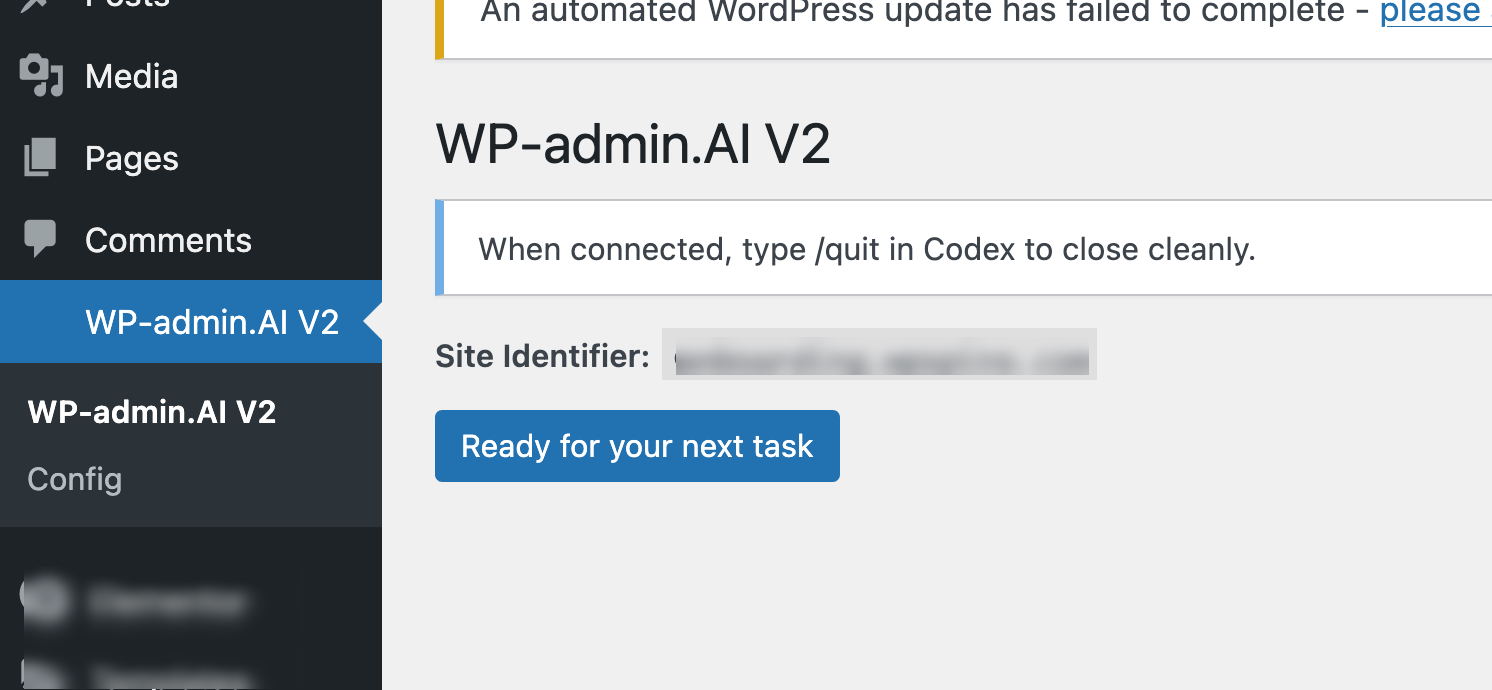
WPadmin.AI lives inside your WordPress dashboard. Click the main button when you want WPadmin.AI to start working on a new website task.
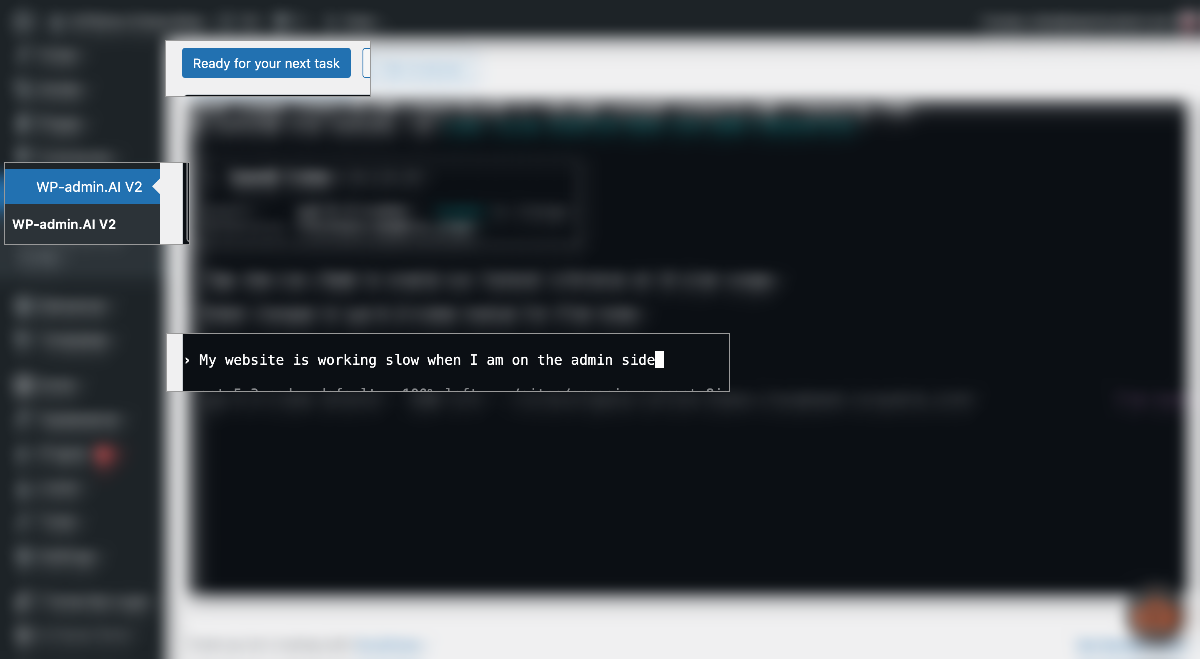
Write the task like you would explain it to a WordPress developer. Tell WPadmin.AI what to fix, build, change, or customize.
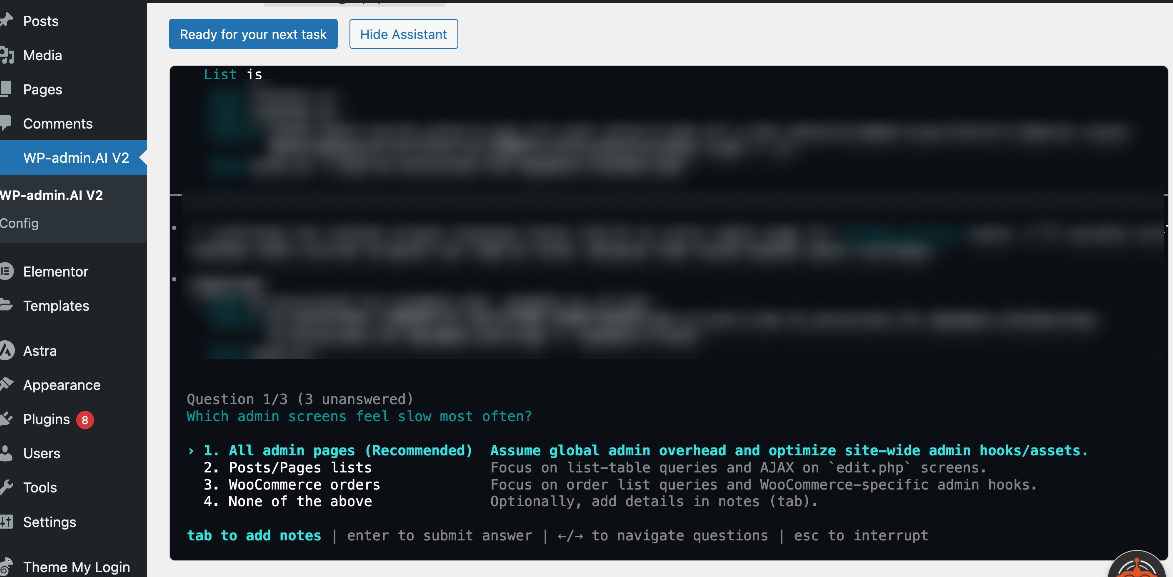
If WPadmin.AI needs more detail, it asks questions before touching anything. This helps avoid guessing and keeps the work aligned with what you want.
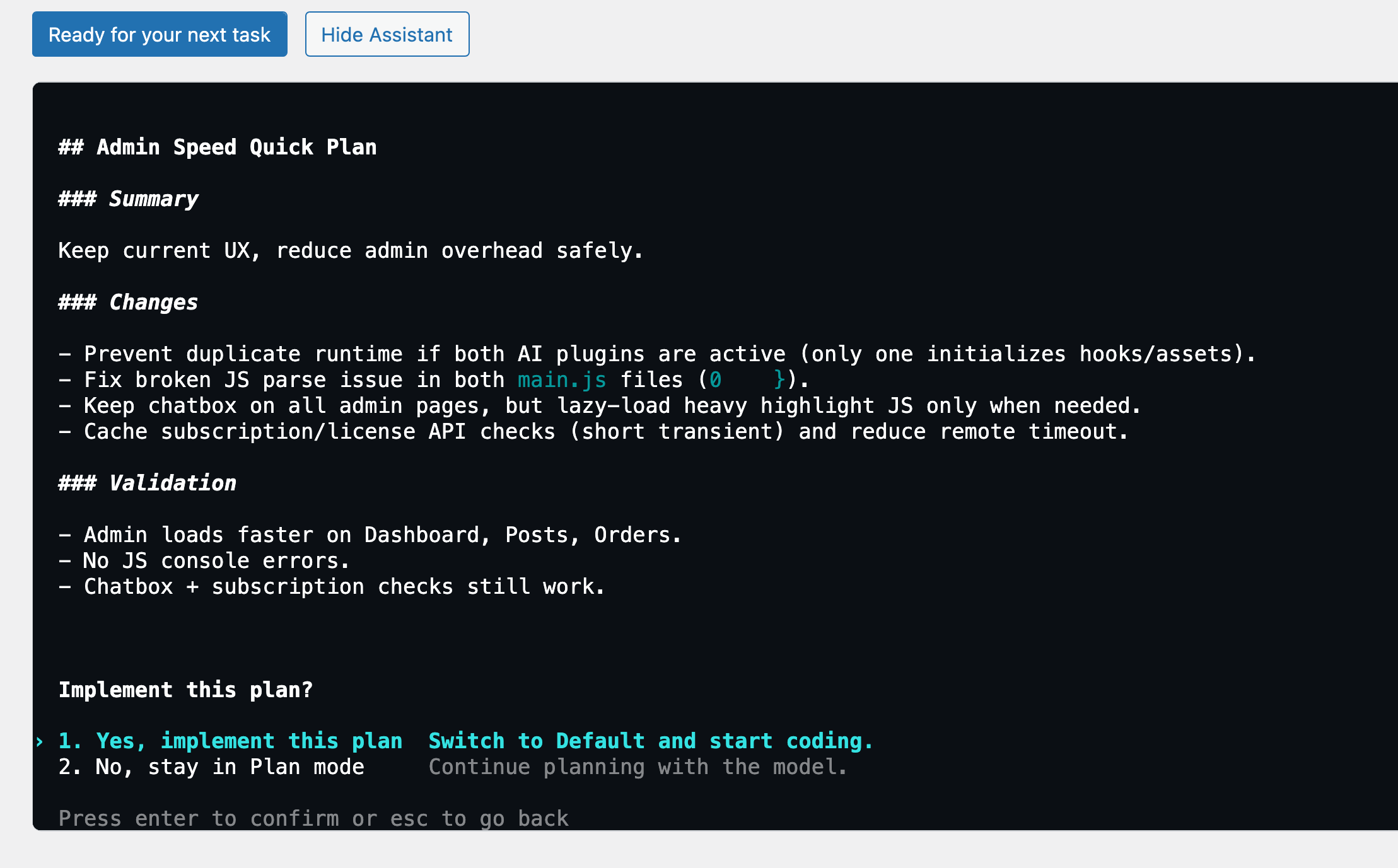
WPadmin.AI prepares a clear plan and asks you to approve execution or request changes. You stay in control before the task moves forward.
When the task is complete, WPadmin.AI explains what changed. You can test it, ask for edits, or ask WPadmin.AI to push approved changes to your live site.
The Free plan lets you request site changes with your own ChatGPT or Claude account. The Premium plan costs $99/year and adds a private test copy of your site, help from a real person, and no ads.
Free for life
$0 / foreverNo payment required
Review changes on your staging site
$8.25 / monthBilled $99 annually for one site
From solo site owners to agency developers — here's what WPadmin.AI users are saying.
"I used to spend 30 minutes Googling every time a plugin conflict appeared. Now I ask WPadmin.AI and get a step-by-step answer in 10 seconds — specific to my actual site setup."
"WPadmin.AI Premium felt like more than chat. It understood the issue, prepared the fix on a test copy, and let me review the work before anything went live."
"I used WPadmin.AI to get answers and make changes to my site, even though I do not know how to code. I chose the Premium plan so I could see the changes on a private test copy before they went live."
/import, but the context they can import differs. Contact Premium support for a clean switch so we can preserve your work and confirm what should continue.Start with the Free plan for site changes, or choose the Premium plan for review on a private test copy, help from a real person, and no ads.