AI Inside WordPress.
Now With Deep Technical Work.

Ask it anything about your WordPress site and get instant answers. Or let V2 take the wheel — it can find what's broken, fix it, and make any change to your website, so you never have to touch the complicated stuff yourself.

WPadmin.AI V1 — Q&A inside WordPress dashboard
V1 — Ask & Understand
⚡ V2 — Act & Execute
you > My whole site just went white after I updated a plugin. Completely blank. Help.

● Codex: reading active plugin list...
● Codex: scanning PHP error log...
⚠ Fatal error in wp-content/plugins/fancy-cache/loader.php:47
  Uncaught TypeError: call_user_func_array() — incompatible PHP 8.2

● Codex: deactivating fancy-cache via wp-cli...
✔ Plugin deactivated. Site is loading again.
● Codex: flushing object cache...
✔ Cache cleared.

ai  > Your site is back. fancy-cache isn't compatible with your PHP version. I've flagged a safe alternative.
you >

Know What You're Getting

Start with the free plugin and get instant answers inside WordPress. Upgrade to Premium and unlock V2 — a separate plugin that works like having a developer on your team. It can build new features, write code, create plugins and themes, troubleshoot problems, and bring any idea you have for your site to life.

Available for Free
🗨️
V1 — Ask & Understand
AI answers and guidance right inside your WordPress admin. Available on Free and Premium.
  • Ask anything about your site — in any language
  • Plugin, theme, and WooCommerce guidance
  • Tailored answers based on your specific setup
  • Troubleshooting steps and fix guides
  • 30 questions/month
  • Includes partner ads

Like Having a Developer On Call — 24/7.

Forget hiring someone every time something breaks or you want a change made. WPadmin.AI V2 logs into your WordPress site and does the work for you — just like a developer would, but instantly.

🔧

Makes Changes Directly on Your Site

WPadmin.AI V2 doesn't just tell you what to do — it goes in and does it. Need something changed? Just describe what you want, approve the steps, and it handles the rest. No touching any code required.

V2 Exclusive
🏗️

Builds New Features for Your Site

Want a new page layout, a custom form, a new section, or a completely new feature? WPadmin.AI V2 can plan it and build it — no developer needed, no waiting, no back-and-forth.

V2 Exclusive
🚨

Finds & Fixes Problems Automatically

When something breaks on your site, WPadmin.AI V2 investigates what went wrong, identifies the cause, and fixes it — the same way you'd expect a developer to after hours of debugging.

V2 Exclusive
🎨

Creates Plugins & Themes From Scratch

Have an idea for how your site should look or work? WPadmin.AI V2 can write and install a custom plugin or theme tailored exactly to what you need — no agency quote required.

V2 Exclusive
🚫

No Ads. Ever.

Premium subscribers get a completely clean experience with zero partner ads — inside WPadmin.AI and across both plugins.

Premium Exclusive
💬

Q&A Assistant Still Included

WPadmin.AI V2 comes with everything the free plugin already offers — instant answers to your WordPress questions, guidance on plugins and themes, and troubleshooting help — now with 150 questions a month instead of 30.

How WPadmin.AI Works

Whether you're asking a quick question or getting an entire feature built — here's exactly what the experience looks like inside WordPress.

1

Choose Your Plan Inside WordPress

After installing the plugin, you'll be prompted to pick a plan directly inside your WordPress settings. No external accounts, no API key setup, no technical configuration — just choose Free or Premium and you're in.

Plan selection screen inside WordPress settings
2

A Chat Bubble Appears on Every Admin Page

Once active, a small assistant bubble sits on the side of every page in your WordPress dashboard. It's always there when you need it — open it any time you have a question.

WPadmin.AI chat bubble on WordPress dashboard
3

Ask Anything — In Any Language

Type your question just like you'd message someone. You don't need to know technical terms or WordPress jargon. Ask in whichever language you're comfortable with and it understands.

Typing a question into WPadmin.AI
4

Get a Clear, Step-by-Step Answer

WPadmin.AI gives you a specific, step-by-step response based on your actual site — not generic advice from a forum. Follow the steps yourself, or hand them to anyone helping you.

WPadmin.AI response with step-by-step instructions
1

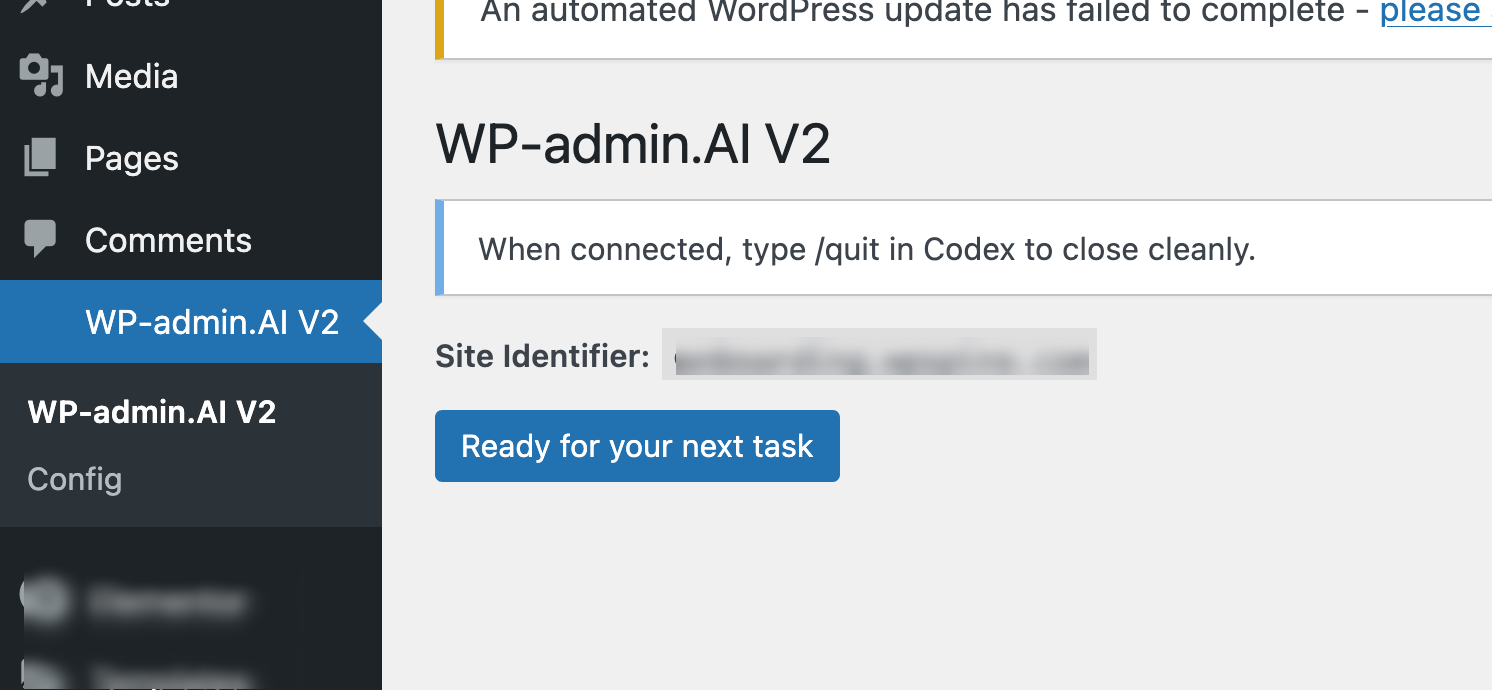
WPadmin.AI V2 Appears in Your Menu

After our team sets up your server environment, a new "WP-admin.AI V2" item appears in your WordPress menu. Click "Ready for your next task" whenever you want something done on your site.

WPadmin.AI V2 in WordPress admin menu
2

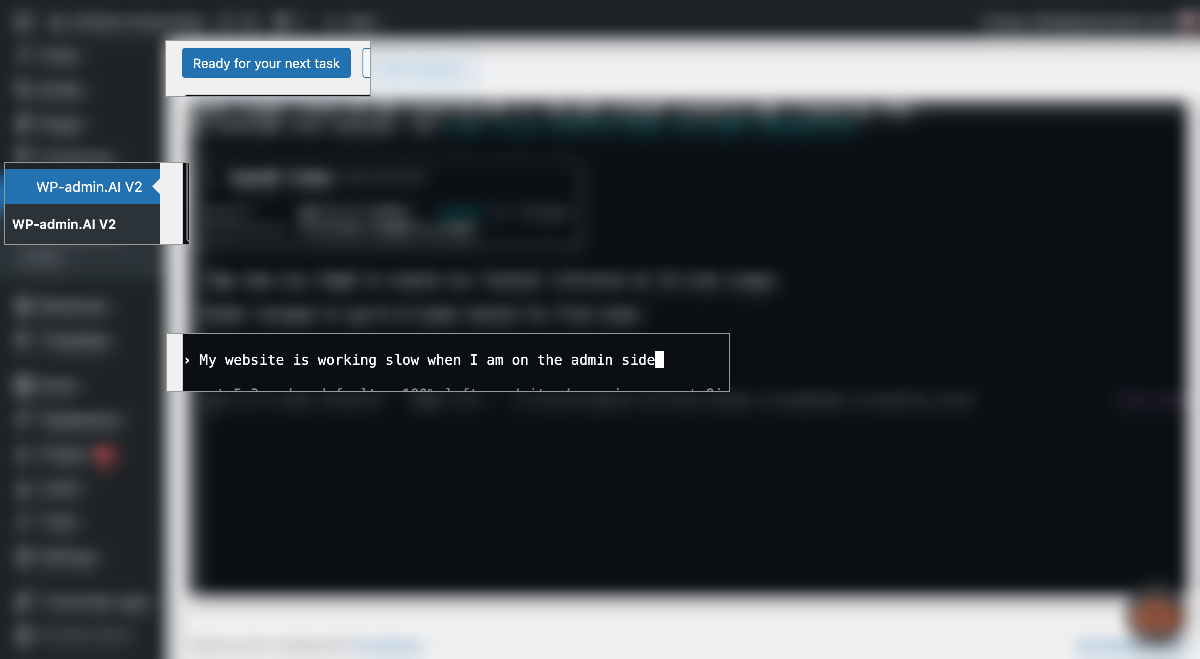
Describe What You Want — Plain and Simple

No briefs, no spec documents. Just type what you'd like done, the same way you'd explain it to a developer over a call. WPadmin.AI V2 reads it and gets to work understanding your request.

Typing a task requirement into WPadmin.AI V2
3

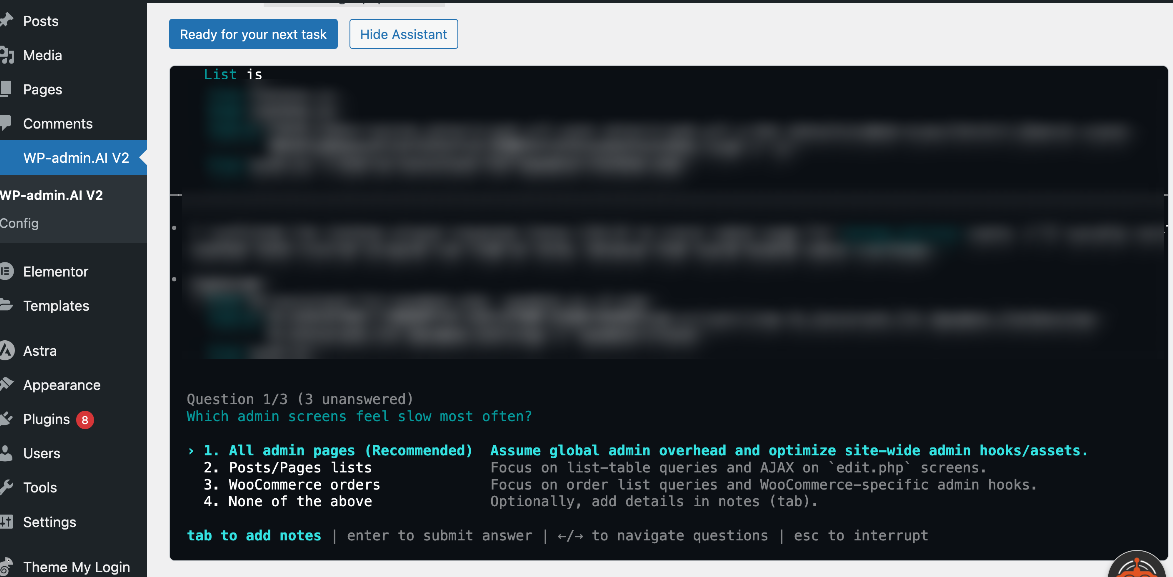
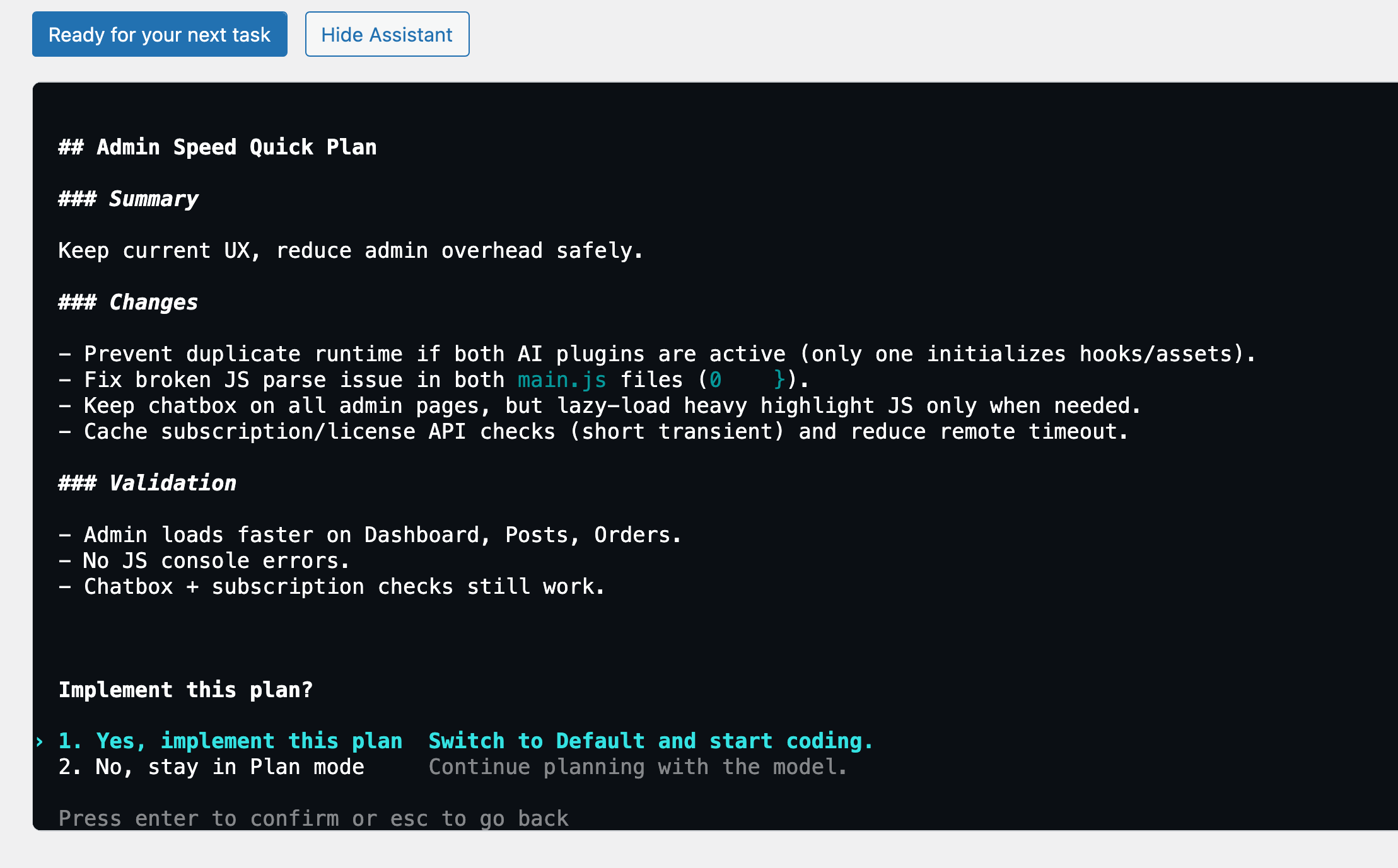
It Asks the Right Questions, Then Shows You a Plan

Before touching anything, WPadmin.AI V2 may ask a few clarifying questions — then presents a clear plan of exactly what it intends to do. You review it and decide whether to go ahead.

WPadmin.AI V2 showing a plan before execution
4

It Makes the Changes — Telling You Every Step

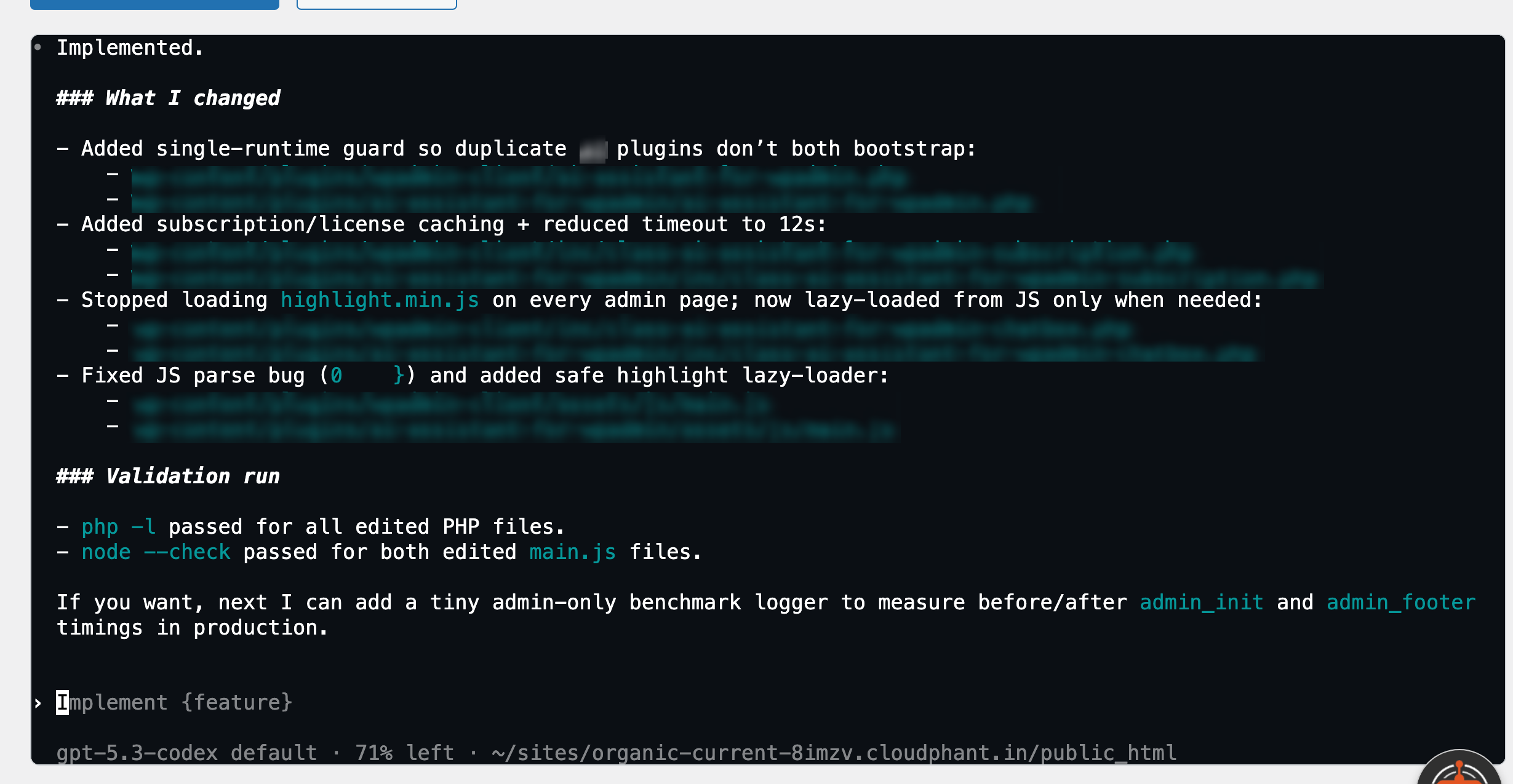
Once you approve, WPadmin.AI V2 starts working on your site. It tells you exactly what it's doing at each step and asks for your permission before any significant change — you stay in full control throughout.

WPadmin.AI V2 executing changes with permission prompts
5

You Get a Full Summary of What Was Done

After finishing, WPadmin.AI V2 gives you a detailed breakdown of every change it made — so you know exactly what happened on your site and can test it yourself before signing off.

WPadmin.AI V2 completion summary
6

Not Right? Tell It and It'll Fix It

If something doesn't look right or needs adjusting, just say so. WPadmin.AI V2 takes your feedback and revises — going back and forth with you until everything is exactly the way you want it.

🔁

This is a conversation, not a one-shot task. Keep refining until it's perfect.

Start Free. Go Deep with Premium.

Free gets you instant AI Q&A inside WordPress. Premium unlocks everything — including V2 technical workspace after setup.

Free
For exploring WPadmin.AI
$0 /month
  • 30 questions/month
  • Ask in any language, get answers in yours
  • Plugin & theme guidance
  • Basic troubleshooting steps
  • Includes partner ads
  • No V2 access
Download Free
V2 Setup Notes
What to expect after purchase
Manual & Secure
  • Invite integrations@wpadmin.ai to your hosting account
  • Our team reviews your hosting compatibility
  • We handle the full technical setup on your server
  • We complete the authentication — nothing for you to configure
  • We keep you updated at every step so you always know where things stand
  • You get a notification when WPadmin.AI V2 is live on your site
See V2 in Action

Trusted by WordPress Admins

From solo site owners to agency developers — here's what WPadmin.AI Premium users are saying.

"I used to spend 30 minutes Googling every time a plugin conflict appeared. Now I ask WPadmin.AI and get a step-by-step answer in 10 seconds — specific to my actual site setup."

JM
James M.
WooCommerce Store Owner

"The V2 setup took a day but it was worth every minute. Having AI that can actually see my server and fix things — not just tell me what to Google — is genuinely a different product."

SR
Sarah R.
WordPress Developer, Freelance

"As a non-technical site owner, I always felt intimidated by the WordPress backend. WPadmin.AI made it feel like I had a developer on call — for $10 to start."

TP
Tanya P.
Small Business Owner

Frequently Asked Questions

General

What is WPadmin.AI? +
WPadmin.AI is an AI assistant that lives inside your WordPress dashboard. The free plugin lets you ask questions about your site and get instant answers. The Premium version unlocks a second, more powerful plugin — WPadmin.AI V2 — that can actually make changes to your site for you, just like a developer would.
Do I need any technical knowledge to use it? +
Not at all. WPadmin.AI is built for everyday WordPress users — people who manage their own sites but don't write code. You just type what you need in plain language, and it takes care of the rest.
How does the pricing work? +
The free plugin is $0 and always will be. Premium is $10 for your first month, then $30/month after that. You can cancel at any time. WPadmin.AI V2 setup is included at no additional cost for active Premium subscribers — for a limited time.
Does the free plugin get replaced when I upgrade? +
No. When you go Premium, the free plugin keeps working exactly as before — you just get more questions per month, no ads, and access to WPadmin.AI V2 as a separate additional plugin. Nothing is taken away.

Free & Premium Plugin — Ask Questions

Does the free plugin need any setup or API keys? +
No. Just install the plugin from the WordPress plugin directory, choose your plan inside the settings page, and it's ready to use. There are no external accounts to create and no API keys to configure.
What languages can I use? +
Any language. You can ask your questions in whatever language you're comfortable with — English, Spanish, Arabic, French, and more. WPadmin.AI understands you and responds accordingly.
What happens when I reach my question limit? +
Free users get 30 questions per month. Premium users get 150. Once you hit your limit, you'll be notified and can either wait for the next month or upgrade your plan to continue.
Will it work with my theme and plugins? +
Yes. WPadmin.AI is aware of your active theme and installed plugins when you ask questions — so its answers are specific to your actual setup, not generic advice that may not apply to you.
What are the partner ads in the free version? +
The free version includes occasional ads from our trusted partners shown inside the plugin. They're not intrusive, but if you'd prefer a completely clean experience, upgrading to Premium removes them entirely.
Can I use it on multiple WordPress sites? +
Each subscription covers one WordPress site. If you manage multiple sites, you'd need a separate plan for each. Reach out to us if you manage several sites — we're happy to discuss options.

WPadmin.AI V2 — Premium Only

What kind of tasks can WPadmin.AI V2 actually do? +
Pretty much anything a WordPress developer can do — fix broken pages, build new features, create custom plugins or themes, troubleshoot errors, adjust design, and more. You describe what you want in plain language, approve the plan, and it does the work.
Will it break my site? +
WPadmin.AI V2 is designed to be careful — it shows you a plan before touching anything, asks for your approval at each significant step, and tells you exactly what it changed. That said, we always recommend keeping a backup of your site, just as you would before any major update.
Why does V2 require a manual setup by your team? +
Because WPadmin.AI V2 works directly on your live site, we set it up manually to make sure everything is secure and compatible with your hosting. We don't automate this — every installation is reviewed by our team before it goes live on your site.
How long does the V2 setup take? +
It varies depending on your hosting setup. Once you invite integrations@wpadmin.ai to your hosting account and our team has what they need, we'll keep you updated at every step. You'll receive a notification as soon as WPadmin.AI V2 is live and ready on your site.
What if I'm not happy with what V2 did? +
Just tell it. WPadmin.AI V2 accepts feedback and revises its work — you can go back and forth with it until everything looks and works exactly the way you want. You're always in control of what gets approved.
Does WPadmin.AI V2 need permanent access to my hosting? +
We need access during the initial setup. After that, WPadmin.AI V2 operates through a secure connection on your server — you're in control of each task and can revoke access at any time by cancelling your Premium subscription.

Ready to Go Deeper?

Start with the free plugin today. When you're ready for server-level AI work, upgrade to Premium and we'll set up V2 for you.