Claude Code WordPress.
AI Development Plugin.

Ask for fixes, builds, changes, configuration help, or troubleshooting from your dashboard. WPadmin.AI Premium prepares the result on a staging/test website for review before pushing to live.

★★★★★ WordPress.org ratings
you > Add a pricing FAQ, fix the broken form, and make sure I can review it before anything goes live.

● WPadmin.AI: reading the active theme and plugin context...
● WPadmin.AI: checking the page, form, and FAQ setup...
⚠ Form shortcode is missing and the FAQ section needs schema markup
  Preparing changes on the connected staging/test website

● WPadmin.AI: preparing the requested WordPress updates...
✔ Changes ready for review on staging.
● WPadmin.AI: checking the form and FAQ output...
✔ Approved updates can sync to live.

WPadmin.AI: Completed The staging changes are ready. Review them, request edits, or sync approved work live.

The Claude Code-Style Pattern, Applied to WordPress

WPadmin.AI Premium lets you describe WordPress tasks the way you would ask a developer-style coding agent, then prepares the work on a staging/test website for review before pushing to live.

🗣️
Ask Like You Would Ask a Developer Agent
Ask in normal words or your local language. WPadmin.AI Premium turns your request into scoped WordPress work you can review and approve.
🧪
Safe Staging Work
Website changes happen on a staging/test copy first, so you can check the result before pushing approved changes live.
🔁
One-Click Sync to Live
After you review and approve the work, move the completed changes from staging to your live website using our one-click Sync feature.
🤝
Built for Real WordPress Site Owners
Use it for WooCommerce issues, plugin conflicts, theme edits, page changes, customizations, forms, performance improvements, and everyday site fixes.

AI development tool for WordPress Fixes, Builds, and Changes.

Use WPadmin.AI Premium when you want the Claude Code-style interaction you already understand, connected to real WordPress tasks and a safe review process.

🔧

Understands the Task and Prepares the Work

Describe the change you want, review the plan, and approve the work before updates move forward on your staging/test website.

🏗️

Builds New Features for Your Site

Want a new page layout, a custom form, a new section, or a more advanced feature? WPadmin.AI Premium can build it on your staging site so you can review it first.

🚨

Helps Troubleshoot Hard Problems

When something breaks on your site, WPadmin.AI Premium can investigate context, identify likely causes, and prepare a fix you can review.

🎨

Creates Plugins & Themes From Scratch

Have an idea for how your site should look or work? WPadmin.AI Premium can build or improve custom plugins and themes for your WordPress site.

🚫

No Ads. Ever.

WPadmin.AI Premium has no ads. The screen stays focused on your website tasks.

💬

Not Just Another Chat Window

WPadmin.AI Premium is built for WordPress work, not generic answers. It uses your site context and a staging/test website so you can review real changes.

How Claude Code-Style WordPress Work Happens

Start with a plain-language task, let WPadmin.AI Premium prepare the work on a staging/test website, then sync approved changes live.

1

Start a New Task From WordPress

The WPadmin.AI Premium page lives inside your WordPress dashboard. Click the main button when you want WPadmin.AI to start working on a new website task.
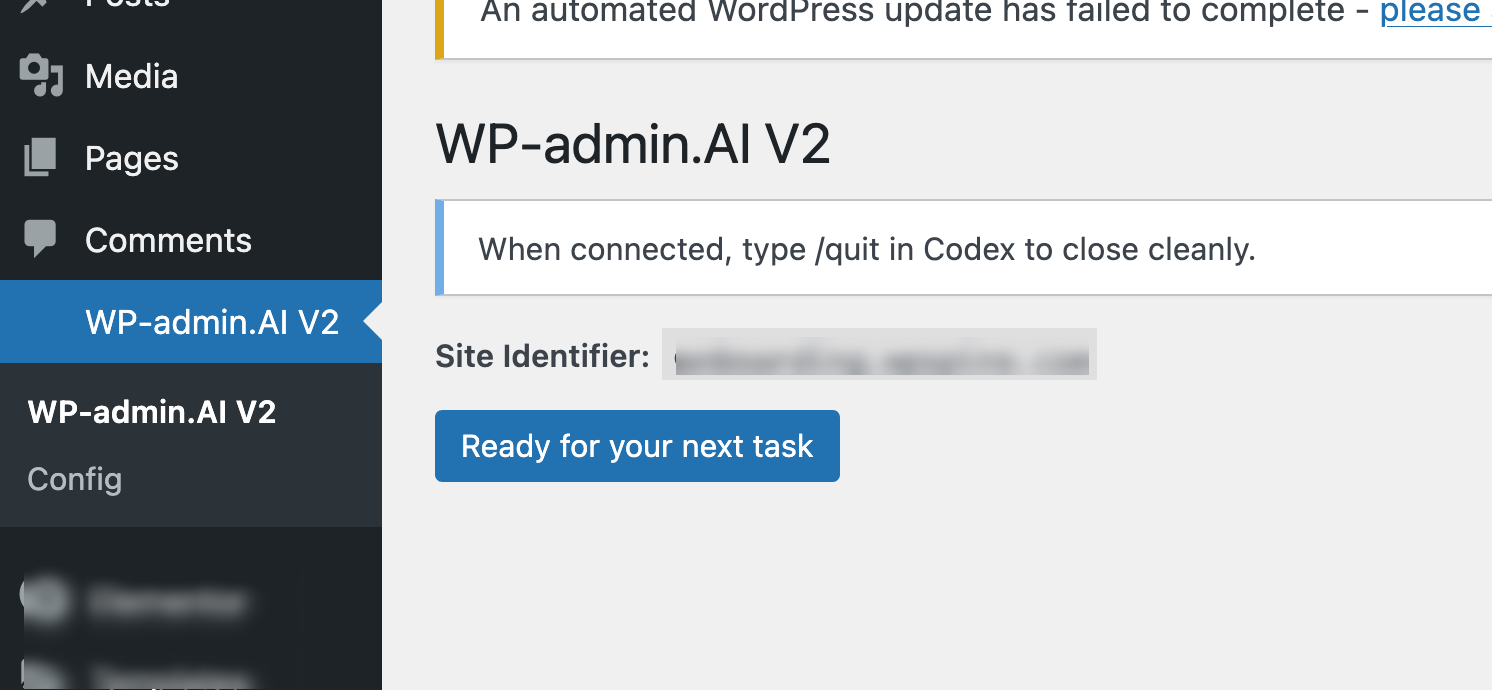
WPadmin.AI Premium main page inside the WordPress dashboard
2

Describe the WordPress Result You Want

Write the task like you would ask a developer-style coding agent: what should be fixed, built, changed, configured, or explained on your WordPress site.
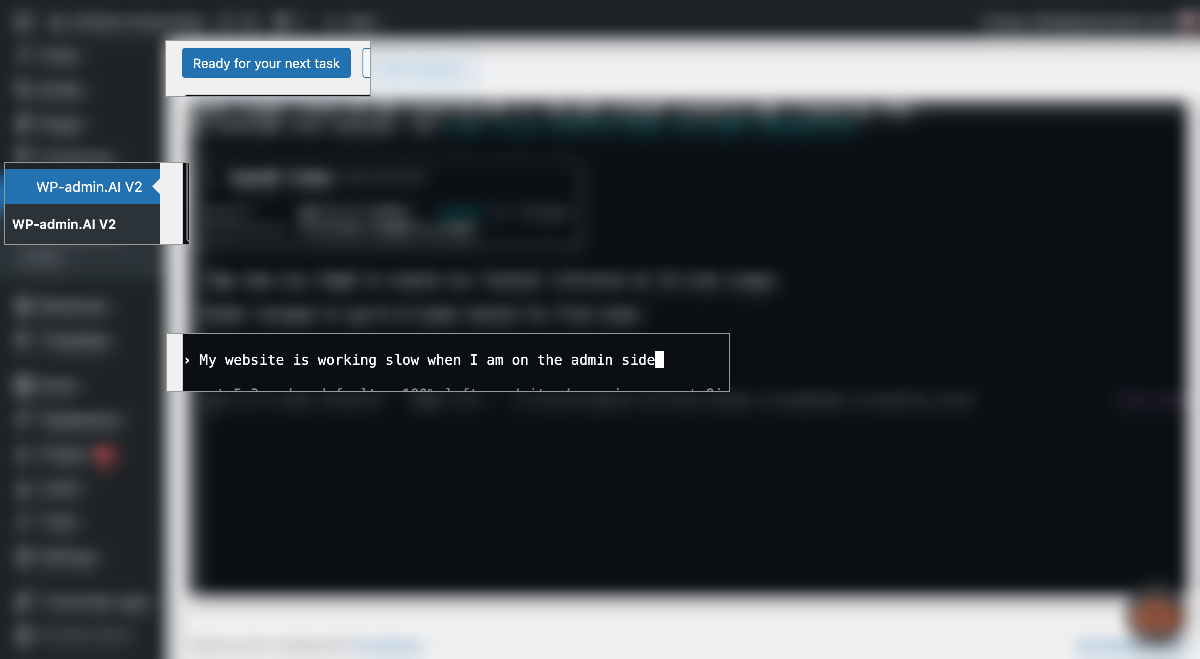
Describing a WordPress task in WPadmin.AI plan mode
3

Answer Any Scope Questions

If WPadmin.AI needs more detail, it asks questions before touching anything. This helps avoid guessing and keeps the work aligned with what you want.
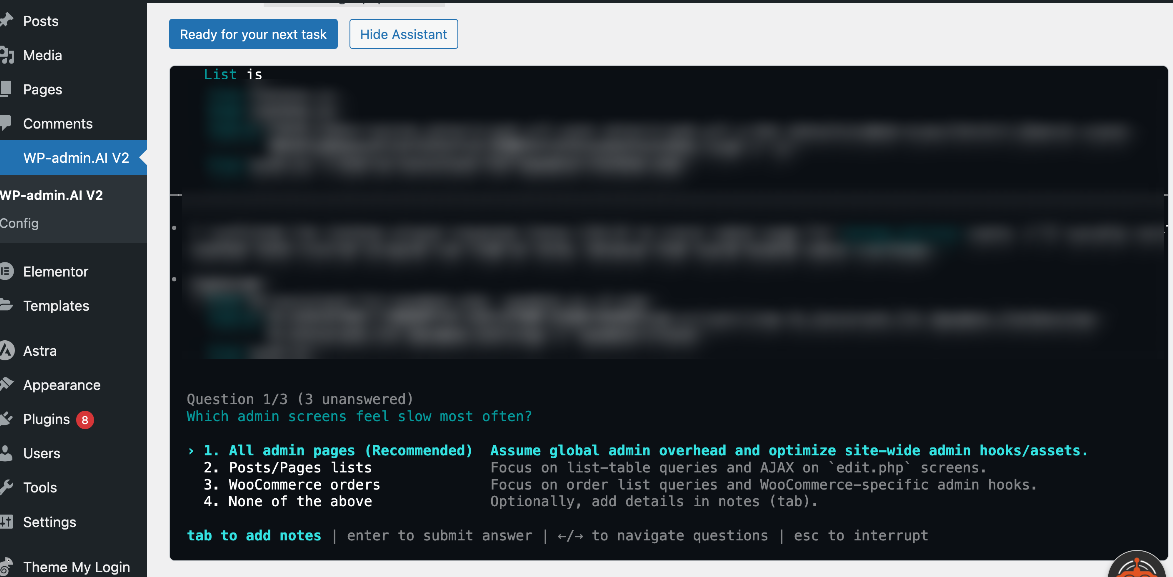
WPadmin.AI asking questions to complete the task scope
4

Review the Plan Before Work Starts

WPadmin.AI prepares a clear plan and asks you to approve execution or request changes. You stay in control before the task moves forward.
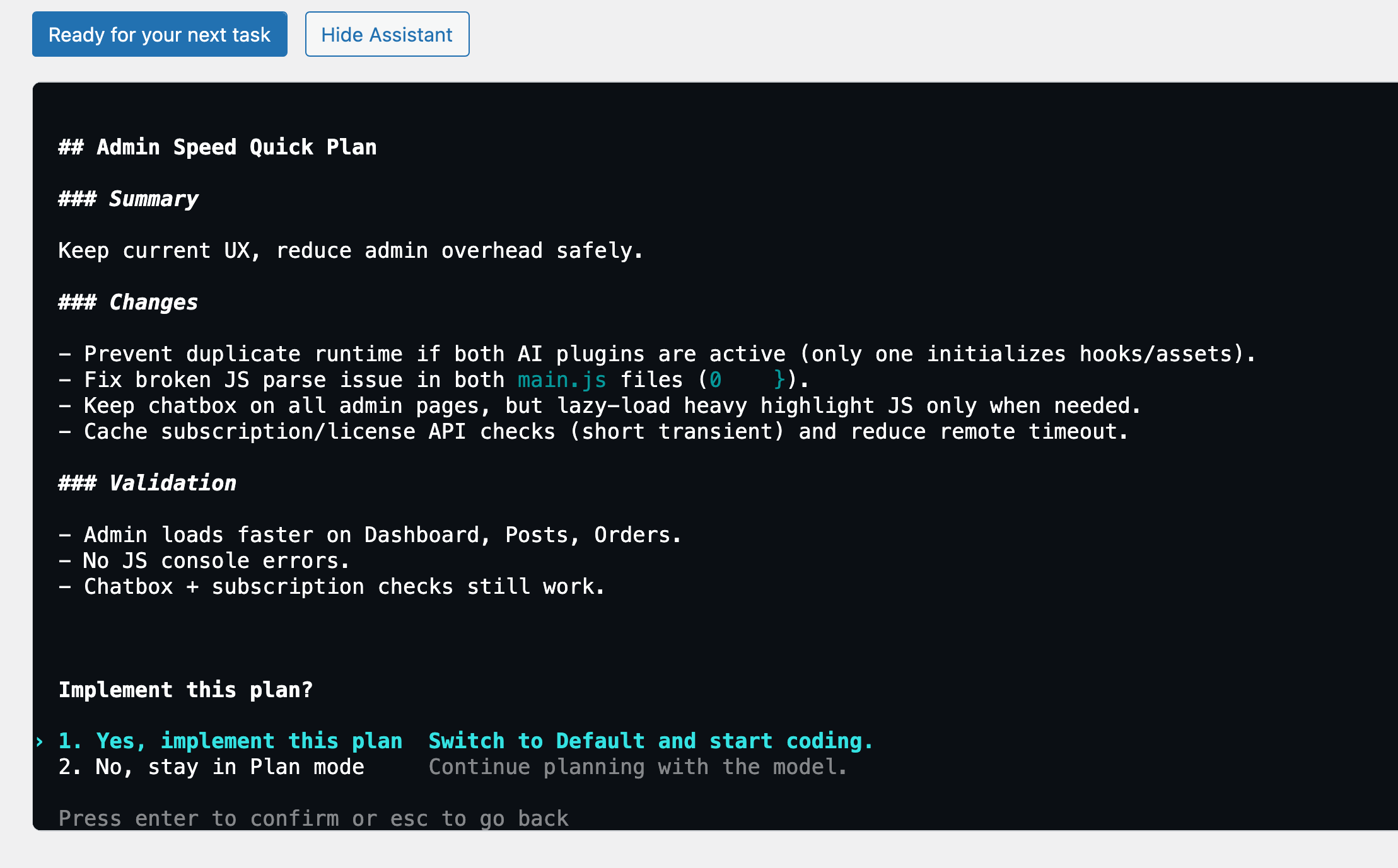
WPadmin.AI plan review before task execution
5

Review What Changed

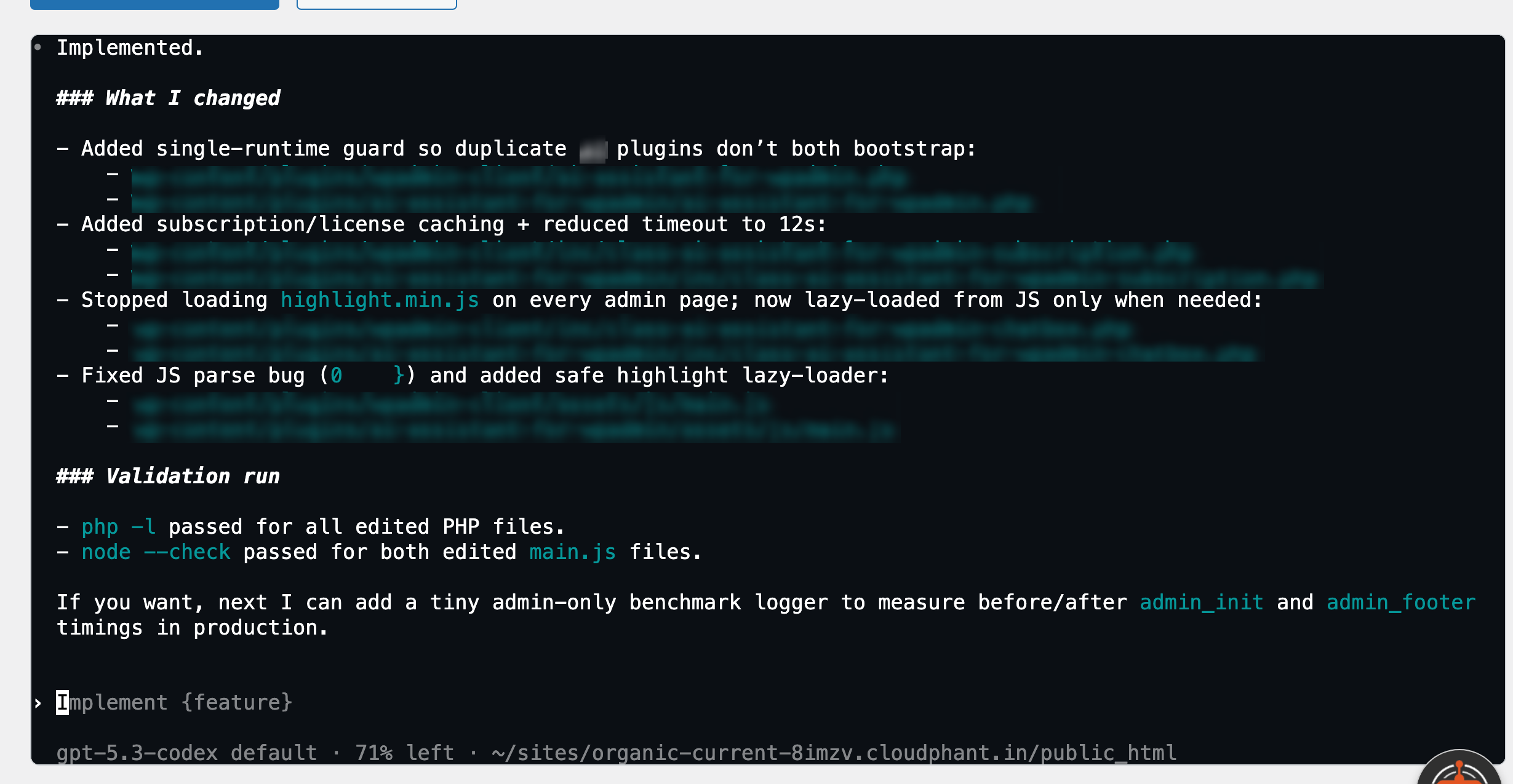
When the task is complete, WPadmin.AI explains what changed. You can test it, ask for edits, or push approved changes to your live site using one-click Sync.

WPadmin.AI showing completed WordPress task changes

Claude Code WordPress Pricing

WPadmin.AI Premium starts at $10 for the first month. After that, it is $30/month for one site license, and you can cancel anytime.

A Claude Code-Style Way to Get WordPress Work Done

For people who already understand developer-style coding agents, WPadmin.AI Premium makes the next step practical: real WordPress work with review before launch.

"I used to spend 30 minutes Googling every time a plugin conflict appeared. Now I ask WPadmin.AI and get a step-by-step answer in 10 seconds — specific to my actual site setup."

JM
James M.
WooCommerce Store Owner

"WPadmin.AI Premium felt like more than chat. It understood the issue, prepared the fix on a test copy, and let me review the work before anything went live."

SR
Sarah R.
WordPress Developer, Freelance

"As a non-technical site owner, I always felt intimidated by the WordPress backend. WPadmin.AI gave me clear answers first, then a safe Premium setup when I needed actual site work done."

TP
Tanya P.
Small Business Owner

Frequently Asked Questions

What is Claude Code WordPress? +
Claude Code WordPress is the search phrase people use when they want a familiar developer-style way to get WordPress work done. WPadmin.AI Premium provides that experience by preparing fixes, builds, and changes on a staging/test website before pushing to live.
How does the pricing work? +
WPadmin.AI Premium is $10 for the first month, then $30/month after that for one site license. You can cancel at any time.
What happens after I buy WPadmin.AI Premium? +
You download the plugin, install it on your WordPress website, paste your pairing token, and WPadmin.AI prepares a staging/test website for safe work.
What kind of tasks can WPadmin.AI Premium help with? +
WPadmin.AI Premium can handle common WordPress developer tasks: fixing errors, troubleshooting plugin conflicts, improving speed, changing layouts, building features, configuring plugins and themes, WooCommerce fixes, form fixes, SEO setup, customizations, and explaining what is happening on your website.
Will it break my site? +
WPadmin.AI Premium is designed around review and approval. For any changes on your website, it works on a staging/test website connected to your live website so you can review changes safely before pushing changes live with one-click Sync.
Why does WPadmin.AI Premium require setup? +
Most hosts do not allow all AI development libraries, and changing a live website directly is risky. That is why we build you a staging/test website to work on, review changes, and then push approved work into your live website.
How long does WPadmin.AI Premium setup take? +
Setup usually takes 3 to 24 hours based on the size of your website. You will receive an email when your staging/test website is ready.
Does WPadmin.AI require any special setup from me? +
You only need a Premium plan with us and a relevant ChatGPT account. No special hosting setup is required from you; we handle the staging/test website setup for you.

Ready for a Claude Code-Style WordPress Experience?

Start WPadmin.AI Premium when you want a familiar developer-style way to request WordPress fixes, builds, and changes with staging/test website review.

How to Start WPadmin.AI Premium

WPadmin.AI Premium starts after checkout. Download it, pair your site, and WPadmin.AI prepares a safe test copy.

Download now